Do you use a Pen-Drive for transferring data across different systems
in your office/network, then there is a high possibility of virus
infections for transferring across with the pen-drive as a medium.Here
are collection of freeware tools that you could as your first line of
defense before using your pen drive on other systems.
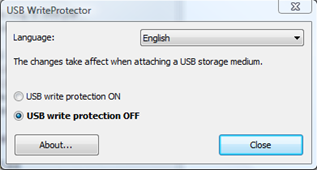
1.USB Write Protector –This freeware application prevents write access to a USB drives.
This will protect USB drives from viruses, malwares, spywares etc.Using
this tool you can just copy data from your pendrive to the system but
not copy data into the pen drive from the client system.Its only 190 KB
and works with XP with SP2.
2.Portable Antivirus Solutions —
ClamWim Portable — ClamWin Portable is the portable version of the open source Free Antivirus program.
It is a standalone application, which means incase you want to copy a file to your pen drive, you will have to manually scan the file for infection using the tool.
- Update the virus signature from the regularly updated Virus Database directly from the USB.
- It also detects spyware.
- It takes about 25 MB after installation on to the USB drive.Homepage || Download

Dr. Web CureIt — In case the file you want to copy into your USB pendrive is infected with a virus,  you
can try to cure/clean the infection from the file using DR. Web CureIT,
An anti-virus and anti-spyware utility and works on windows 95 to
Vista.You cannot update its definitions but instead download a new
Dr.Web CureIt! package.
you
can try to cure/clean the infection from the file using DR. Web CureIT,
An anti-virus and anti-spyware utility and works on windows 95 to
Vista.You cannot update its definitions but instead download a new
Dr.Web CureIt! package.
 you
can try to cure/clean the infection from the file using DR. Web CureIT,
An anti-virus and anti-spyware utility and works on windows 95 to
Vista.You cannot update its definitions but instead download a new
Dr.Web CureIt! package.
you
can try to cure/clean the infection from the file using DR. Web CureIT,
An anti-virus and anti-spyware utility and works on windows 95 to
Vista.You cannot update its definitions but instead download a new
Dr.Web CureIt! package.
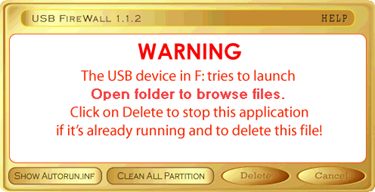
3.USB Firewall — USB Firewall
automatically detects malicious autorun.inf file when an infected USB
device is infected, you can also see what command are written in the
autorun.inf file which launched the program and decide whether to let it
run or delete the file and the file autorun.inf which launched it.